
- calendar_today August 26, 2025
Google has launched Android 16 following months of speculation and leaks alongside an extensive beta phase. Pixel phones will receive the new operating system update starting today. Pixel users will receive the update ahead of other Android devices which will follow in subsequent weeks or months.
Pixel owners should soon see their devices receiving the over-the-air update. Google’s developer site provides system images and manual update files for those who don’t want to wait. Still, there’s not much urgency to rush. The launch version of Android 16 brings fewer new features compared to previous major revisions.
Despite its modest feature set, Android 16 includes several substantial enhancements.
Cleaner Notifications, Live Updates, and Tighter Security
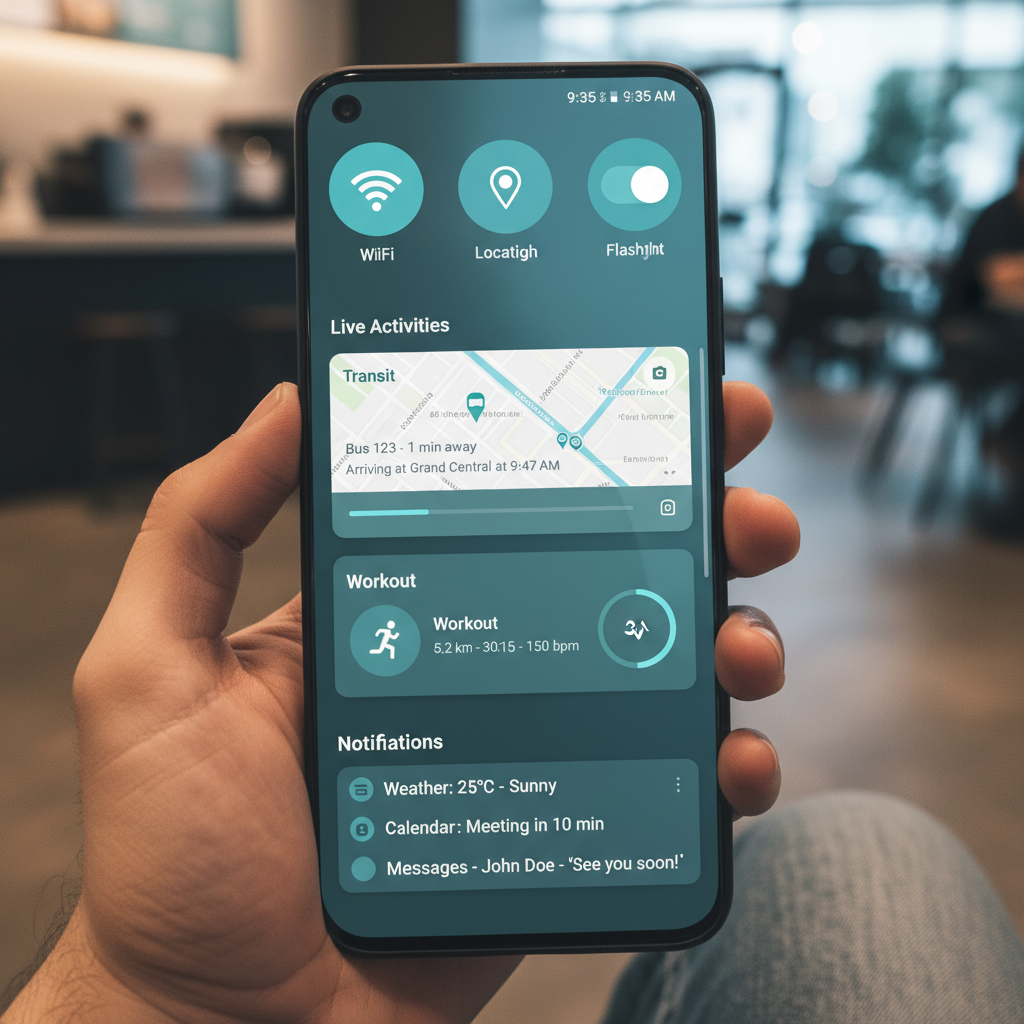
The first thing you’ll notice? A cleaner notification shade. Google brought notification bundling to Android 7.0 Nougat as its initial introduction. Android 16 expands upon the existing notification system. This time, it’s mandatory. The system now prevents apps from generating multiple alerts on your screen. The system collects multiple alerts from a single app into one expandable card. It’s small, but helpful.
There’s also the newly introduced live update notification feature. Rideshare and delivery apps will enable Android 16 to show live status updates in the status bar. A compact icon displays the current status of your driver or delivery. When you tap on the icon you’ll get a pop-up that displays the progress bar. Google is collaborating with Samsung and OnePlus to enhance the integration of their notification systems which include Samsung’s Now Bar and OnePlus’s Live Alerts.
Security has also been tightened. Devices running Android 16 now receive Advanced Protection through the operating system. This builds on Google’s existing account-level security. After activation your phone will stop outdated 2G network connections while also blocking unsecured website access and cutting USB connections that endanger system security. It’s not flashy, but it’s essential.
A Nod to Foldables and Tablets
Google demonstrates its vision for Android’s future by exploring possibilities beyond smartphone applications. Automatic layout scaling now adjusts app displays seamlessly across larger screens. Applications designed for Android 16 (API level 36) will automatically adapt their layouts to better fit tablets and foldable devices. Developers can now format their apps for large screens without needing to completely redesign them.
The camera features receive modest improvements. Now apps benefit from advanced capabilities including night mode detection and motion photos as well as hybrid auto-exposure among other features. Android 16 allows users to take HDR screenshots if the app they use supports this feature.
Smaller Details with Everyday Impact
The new Pixel Drop provides Pixel phones access to several exclusive features. Among them: The new “Pixel VIPs” feature replaces the traditional favorite contact function. After setting them up VIPs appear as a new widget on your home screen. The widget displays recent messages from apps such as WhatsApp and Messages along with birthday information and current location details when shared by VIP contacts. VIP contacts can override Do Not Disturb mode which simplifies communication with essential individuals.
Pixel devices feature live search capability in the magnifier app and improved hearing aid compatibility as exclusive enhancements. The Expressive Captions feature from Google will now reach people living in the UK, Australia, and Canada.
The fun feature Android 16 brings is its AI-powered emoji creation capability. The Pixel Studio app offers users the capability to create personalized emojis using Emoji Kitchen. This addition may be minor but demonstrates Google’s commitment to AI integration across all interaction points.
What’s Not Here (Yet)
The most anticipated features of Android 16 remain in development.
The launch of Material 3’s new “Expressive” design language remains delayed until later this year. The design language delivers a colorful customizable interface but at this time remains restricted to developer documentation and previews. In the upcoming months users will finally get the desktop mode which serves as an alternate interface for external displays.
The upcoming desktop mode allows tablets and selected phones to project a floating window interface like Samsung’s DeX. The feature activates solely on connected displays while Google confirms it will not implement on-device windowing for foldable devices such as the Pixel 9 Pro Fold. Instead, that capability remains limited to tablets.
Support will also vary by manufacturer. Desktop mode support will be available on Google’s Pixel devices while standard screen mirroring will apply to other Android 16 phones based on the OEM’s implementation.
A New Release Strategy
Google has made significant changes to its update strategy. Android updates used to be released during the fall season together with new Pixel phone launches. That’s no longer the case. The major Android version will launch in late spring followed by end-of-year updates that focus on incremental feature additions and API changes.
The release of Android 16 marks the onset of this strategic change. The update comes with a small number of features yet establishes Google’s new release timeline while paving the way for future developments until 2025.
This update won’t impress you instantly but sets the foundation for a modular and responsive Android framework. Google seems to be saying: less flash now, more substance later.